
RTO Vehicle Registration Check: Checking the registration details of a vehicle with the Regional Transport Office is kept simple and smooth, ensuring that anyone can verify vehicle ownership, legality, and important details before buying or reporting a vehicle.
Whether you want to check a vehicle’s RTO registration details for any reason, you can do it simply. Be sure to read the article thoroughly so you don’t miss any important details about checking RTO registration for a vehicle.
RTO Vehicle Registration Check
To ply any vehicle on a public road, it is necessary that it is registered with your nearest regional transport office. If you are buying a second-hand vehicle and want to verify if everything is okay to buy it, then you must check its RTO registration, because from there you will be able to assure yourself about it.
It may also be that the reason behind checking the RTO registration details of a vehicle is that you want to report it because you found it involved in hit and run or something else suspicious. To check out, the only thing you need is a vehicle registration number, available on the number plate.
How to check RTO registration for a vehicle in 2026?
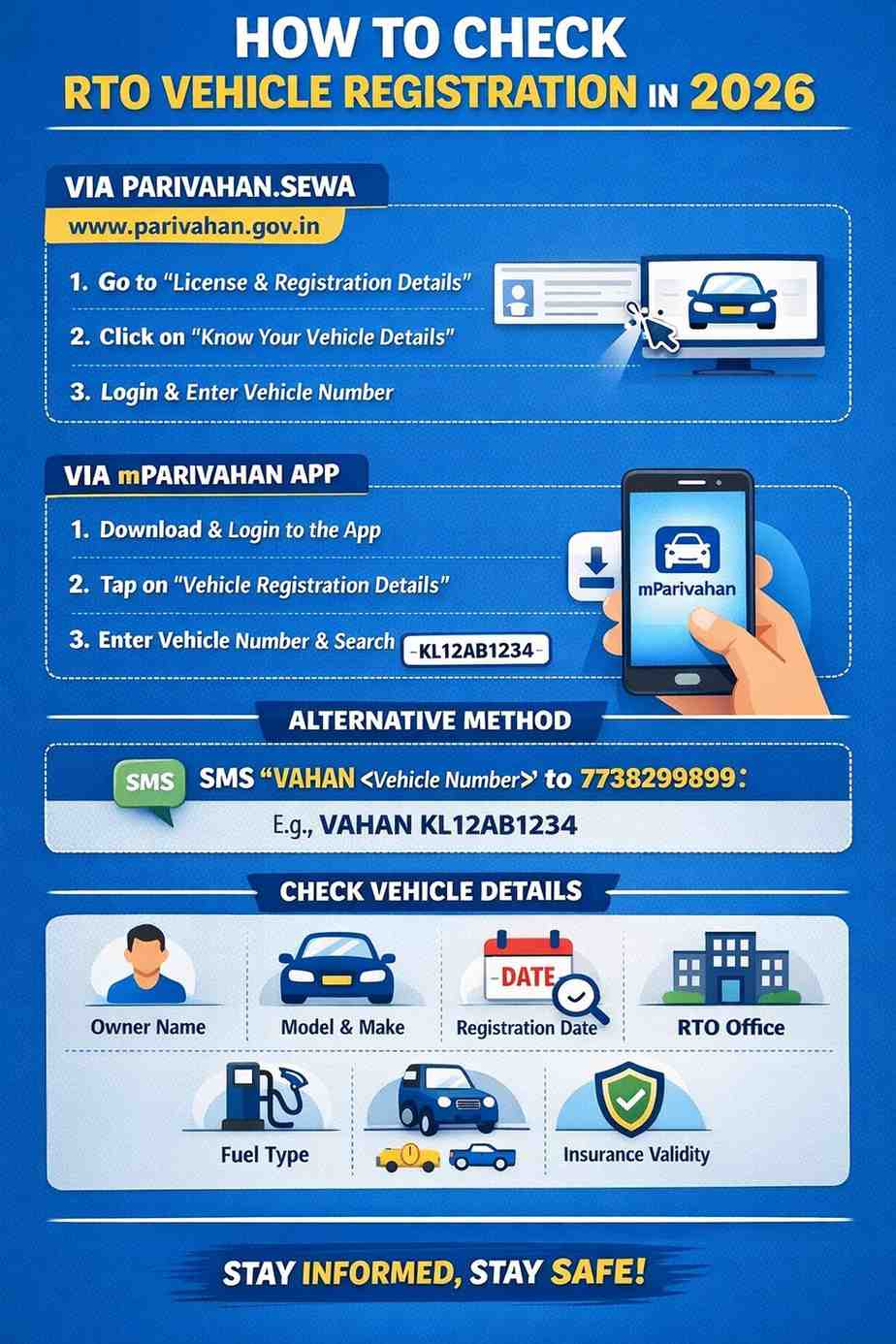
In 2026, the RTO vehicle registration check can be exercised through the official website of Parivahan Sewa and the mParivahan mobile application. The step-by-step instructions for each can be found from the below.
Via the official website of Privahan Sewa
- Go to the official website of the Privahan Sewa, which is https://parivahan.gov.in/.
- Now, you see an option that reads ‘License & Registration Details’ under the section of Informational Service; tap on it.
- Now, you will see an option that reads ‘Know Your Vehicle Details’; click on it and get redirected to the next page.
- Login with your mobile number; if you don’t have an account, you have to create one.
- Lastly, you have entered the vehicle registration number and clicked on the Search Vehicle button.
Via mParivahan mobile number:
- Download the mParivahan mobile application from the Play Store or App Store for your Android or iOS device.
- Run the application and log in with your mobile number; if you are a new user, you have to register first.
- Now, click on the Vehicle Registration Details option and go to another page.
- At the end, you need to enter your vehicle registration number and click on the Search Vehicle button.
On checking RTO details for a vehicle, you will get to know about the owner name, vehicle model, registration date, RTO office, fuel type, insurance validity, and vehicle class and other details.
If the Internet isn’t accessible, you can go with the alternative way of checking the RTO vehicle registration via SMS. To do so, you have to type in the text box VAHAN followed by the <Vehicle Registration Number> and send it to 7738299899.
How to create an account on the Privahan Sewa portal?
Note that if you have an account on the Privahan Sewa portal, you can log in with the same on the mParivahan mobile application.
If you haven’t registered yourself with either of them, you can do so by going through the step-by-step instructions available below.
- Navigate to the Parivahan Sewa portal at https://parivahan.gov.in/.
- Now, click on the ‘License & Registration Details’ option.
- Then, you will see an option that reads Create account; tap on it.
- Fill in your mobile number and email address, and then click on the Generate OTP button.
- Enter the OTP received on your mobile number and click on the Submit OTP button.
- Now, fill in your personal information, such as name, date of birth, and others.
- Lastly, review all the details and click on the Submit button to finalize the process.
To log in to the mParivahan mobile application, you have to set an mPIN; you can do so easily on the mobile application by trying to log in directly.